
IPTV Player for
iPhone, Apple TV & Android TV.
Use your M3U playlists and Xtream Codes accounts on iPhone, Apple TV, Android TV, and Google TV. Sync favorites and watch progress with your Orbizy account.

Orbizy IPTV Player
From your first playlist to your favorites
In Orbizy, add an M3U or Xtream Codes source and find favorite channels and titles in progress in your library. Your account syncs playlists, favorites, and watch progress across authorized devices.
How to add an M3U playlist in Orbizy →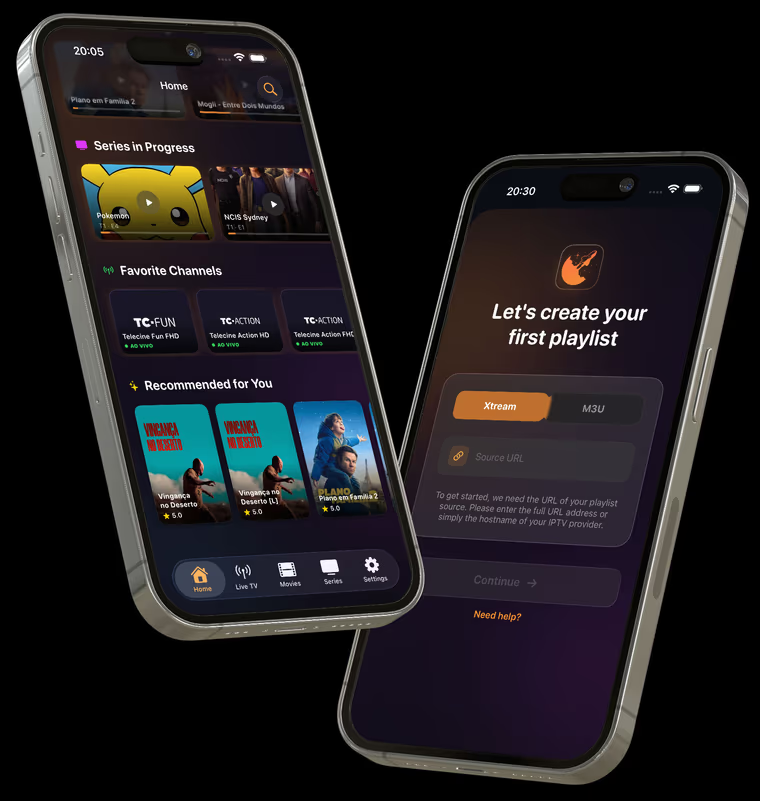
Simplicity
IPTV.
Simplified.
Just add your playlist and start watching. Orbizy is designed to feel natural on phones and TVs.
One account
Sign in once to sync your library across supported devices.
No complicated setup
Paste your playlist URL and you're done.
No bloat
Only what you need to watch content.
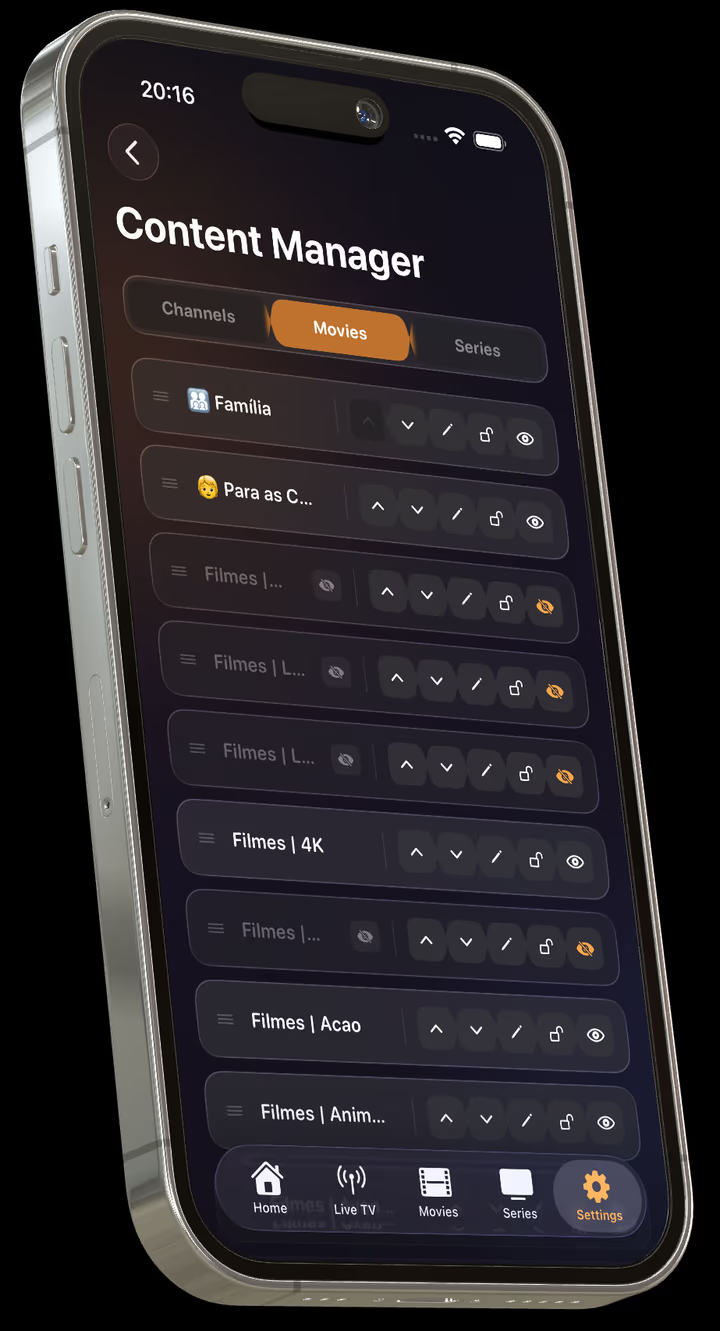
Personalization
Your Content.
Your Way.
Orbizy adapts to your viewing style — not the other way around.
Performance
Designed for
Performance.
Built for smooth navigation with remotes, big screens, and mobile devices.
Minimal. Fluid. Reliable.
Devices
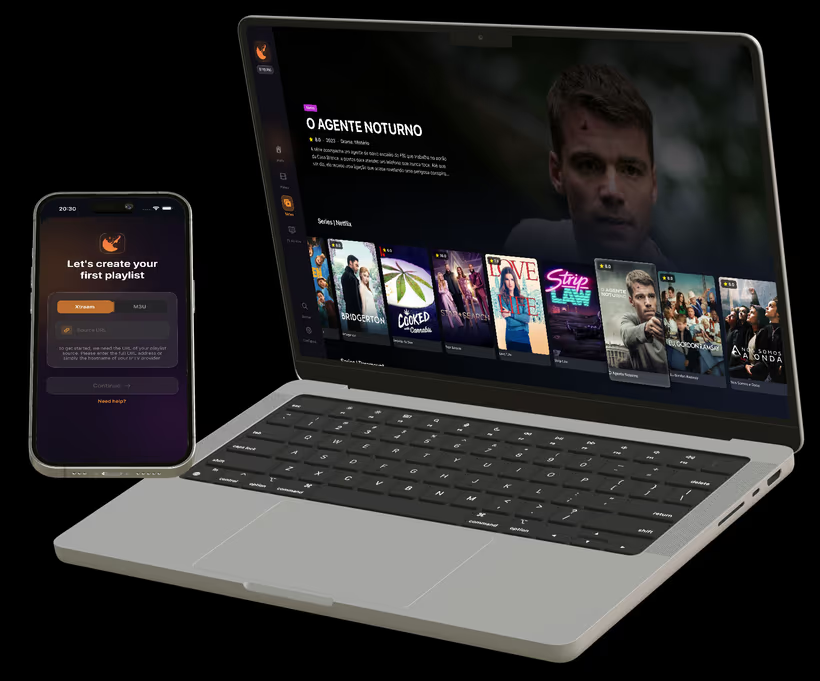
One Experience.
All Your Devices.
Orbizy's vision is one consistent experience across iOS, tvOS, Android TV, and Google TV.
Your content.
Your control.
One account.
No clutter.
Just press play.
Pricing
Free to download.
Premium experience.
Private. Secure. Fast.
Free download. Subscription required after trial. Managed through the App Store or Google Play. Cancel anytime.
Guides
An IPTV player for your device
Learn to install Orbizy, add your playlist, and organize your library on iPhone, Apple TV, Android TV, and Google TV.
IPTV player for iPhone and iPad
Install Orbizy on iOS, add your playlist, and take your favorites with you.
Read guideIPTV player for Apple TV
Set up Orbizy on tvOS and open your library on the big screen.
Read guideIPTV player for Android TV and Google TV
Install from Google Play and set up your playlist for remote control navigation.
Read guideHow to add an M3U playlist in Orbizy
Set up your IPTV playlist URL and find out what to check if it does not load.
Read guideHow to set up Xtream Codes in Orbizy
Add your server, username, and password and troubleshoot common login errors.
Read guideFAQ
Questions answered.
Everything you need to know before downloading.
Does Orbizy include channels, movies, and series?
No. Orbizy is a media player and does not provide content. To watch, add your own legally obtained M3U playlist or your provider’s Xtream Codes credentials.
Does an Orbizy subscription also unlock channels?
No. The subscription provides access to the app’s features. Content is separate and must be obtained from your playlist provider.
Which devices can I use Orbizy on?
Orbizy is available for iOS, tvOS, Android TV, and Google TV. Check the App Store or Google Play for your device’s compatibility requirements.
How do I add my IPTV playlist or account?
Add your M3U playlist URL or enter the server address, username, and password for your Xtream Codes account. Use the details supplied by your provider, without extra spaces.
Do I need to create an account?
Yes. An Orbizy account syncs your profiles, playlists, favorites, and watch progress across supported devices.
Is Orbizy free or do I need a subscription?
The app is free to download. After the trial, a subscription is required to keep using it. Check the App Store or Google Play for current prices and terms.
How does the 14-day free trial work?
You get 7 days free from the moment you download the app — no credit card required. If you choose to subscribe, you receive an additional 7-day trial before any charge applies. That's 14 real days to fully experience Orbizy.
Can I cancel anytime?
Absolutely. You can manage or cancel your subscription at any time through the App Store or Google Play. No hidden steps, no hoops to jump through.
Why do channels keep freezing or buffering?
An unstable connection, congested Wi-Fi, or problems with your provider’s stream can cause buffering. Try other channels, restart the app, and check your network. If it continues, contact your provider.
What should I do if my login is incorrect or my account has expired?
Check the server address, username, and password, including capitalization and extra spaces. If they are correct, ask your provider to check your IPTV account’s status and expiry date.
Why are channels, movies, or series missing?
Make sure your IPTV playlist or account is active and the details are correct. Refresh the playlist in the app. If content is still missing, check its availability with your provider.
Why is the TV guide missing or out of date?
The guide relies on program data, known as EPG, supplied by your provider. Check your connection and device time zone. If listings remain missing or incorrect, confirm EPG availability with your provider.
Can I watch on more than one device at the same time?
Syncing your library across devices does not change your playlist’s stream limit. Simultaneous viewing depends on your app subscription terms and the connection limit set by your content provider.
Can I change the audio language or enable subtitles?
Audio and subtitle options depend on the tracks included in the content and your device’s compatibility. When available during playback, select your preferred language or subtitles.
Who should I contact if something is not working?
For app or subscription questions, use the support contact in the footer. For expired IPTV accounts, unavailable playlists, or missing content, contact your provider. Include your device model, app version, and error message.
Is using Orbizy legal?
Orbizy itself is a legal media player app available on the App Store and Google Play. Whether the content you stream is legal depends entirely on your playlist provider. We do not endorse or promote any content provider.
Content Policy
Orbizy is a media player.
We do not host, provide, sell, or distribute any content. Users must supply their own legally obtained M3U playlists or Xtream Codes credentials.
We do not endorse or promote any content provider.
Ready to experience IPTV differently?