
Orbizy · Guides
IPTV player for iPhone and iPad
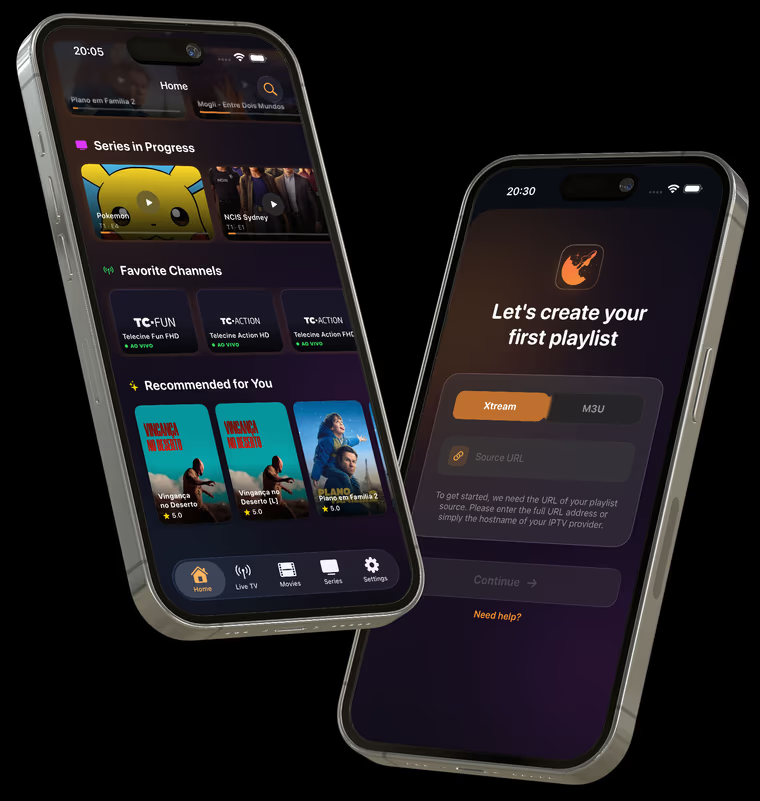
Orbizy brings your IPTV playlists into a library on iPhone and iPad. Add an M3U source or Xtream Codes account to organize favorites and titles in progress. Account sync keeps your library connected to your other supported devices.
How to set up
Install from the App Store
Open the official Orbizy App Store listing and check the iOS version required for your device.
Sign in to Orbizy
Use your account to sync profiles, playlists, favorites, and watch progress across authorized devices.
Add your source
Choose M3U or Xtream Codes and enter your provider’s details. Wait for the library to load, then test an item in your playlist.
Before you start
- No channels are included. Have a legally obtained playlist or valid provider credentials ready.
- Watching over a mobile network uses data according to video quality and viewing time.
Start with your own playlist
Download Orbizy from your device’s store. The download is free; a subscription is required after the trial. Channels are not included.